Know the moment one needs you.
Sessions waiting on a permission or a question rise to the top, with the exact request. A notification takes you there. Approving stays with you.

Docs siteNeeds permission: Bash: npm publish
Promptly
The terminal built for Claude Code. Run sessions side by side, see your plan usage live, and know the moment one needs you.
Latest release. Apple silicon with macOS 14 or later, unsigned for now. Also on Linux.
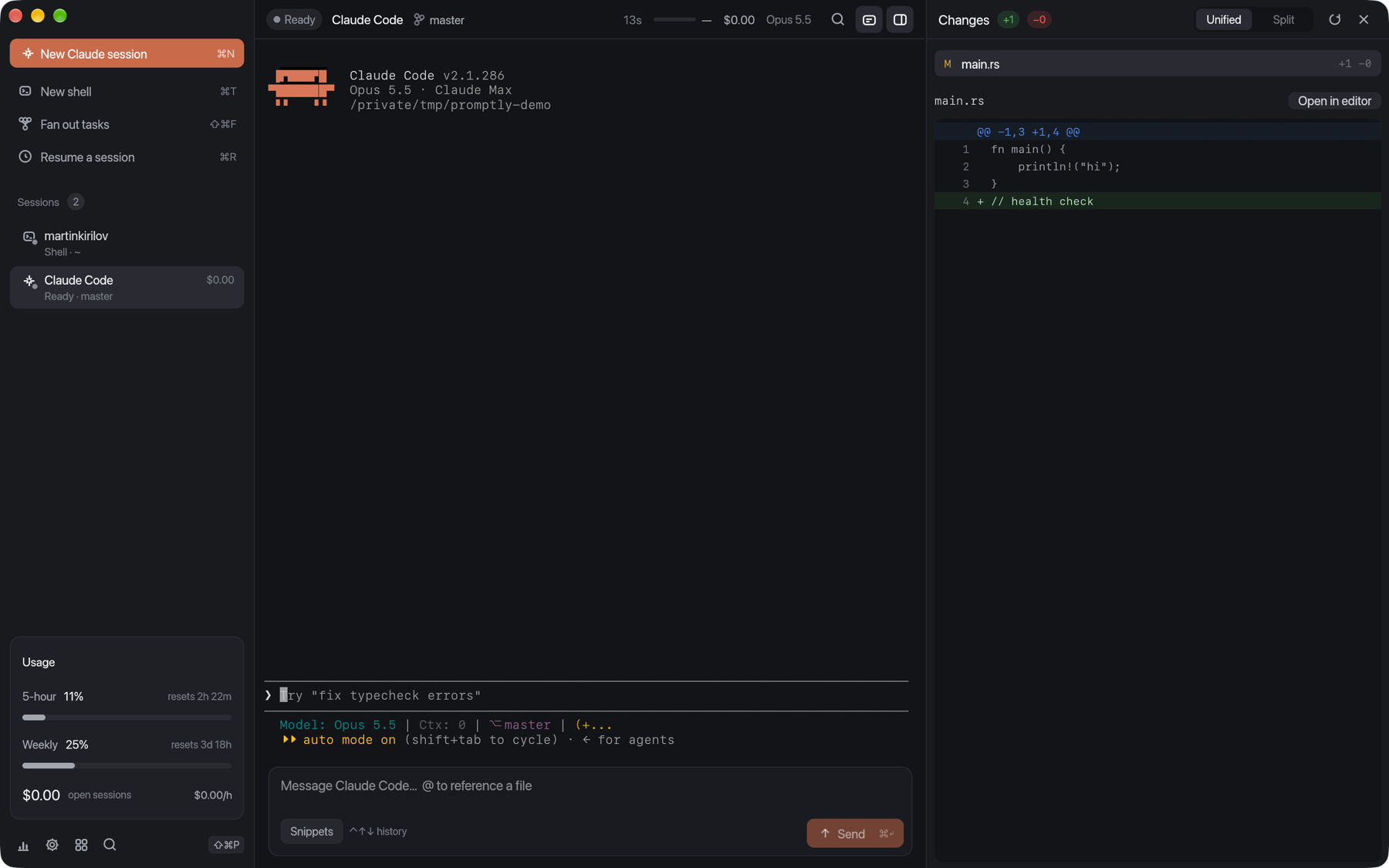
Promptly runs the real Claude Code, unchanged. It listens alongside, so the right session finds you instead of you hunting for it.
Sessions waiting on a permission or a question rise to the top, with the exact request. A notification takes you there. Approving stays with you.
Your plan's 5‑hour and weekly limits, counting down to the reset.
Parallel agents never collide. Each gets its own branch outside your checkout, and work with uncommitted changes is never removed.
See what a session changed, comment on any line, and send every comment back as one prompt.
Hooks reach Promptly fast enough that you'll never notice them.
5.6 ms
p95 round trip, measured against Claude Code 2.1.286
A composer for long prompts, with file completion and history.
No account. No telemetry. Your Claude settings are never modified, and nothing listens on the network.
Claude Code reports your plan limits as it works. Promptly turns them into a live dashboard, with alerts at 80 and 95 percent.
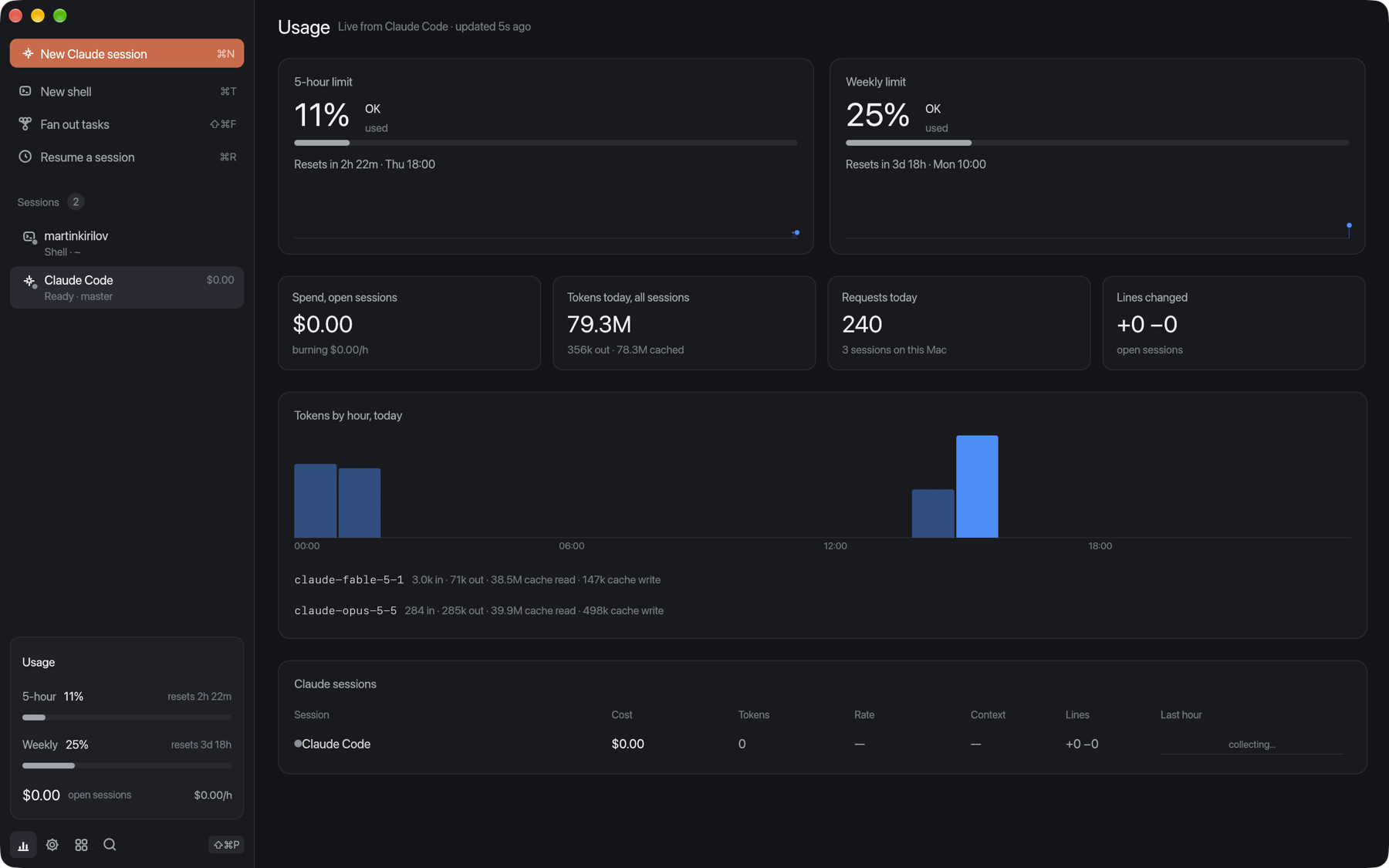
5‑hour and weekly windows with the exact reset time.
Cost and burn rate for every open session.
Tokens by hour and model, including sessions started elsewhere.
Nothing is forked or patched, so every new Claude Code release works on day one.
Press ⌘N. Claude Code runs exactly as it does in your terminal, in its own worktree if you like.
Session hooks, the status line and the transcript tell it when Claude is working, waiting, finished, or spending.
The session turns amber and rises to the top. Press ⌘J to jump straight to it.
claude CLI. Session-scoped hooks and status line; your own hooks and status line keep running. Verified with 2.1.286.promptly-ctl.
You'll need Claude Code installed. After that, Promptly keeps itself up to date.
Apple silicon with macOS 14 or later
Download Unsigned for now, notarization is coming. One-time first-launch step# Mac: unzip, clear the quarantine flag once, open
unzip Promptly-*-macos-arm64.zip -d /Applications
xattr -dr com.apple.quarantine /Applications/Promptly.app
open /Applications/Promptly.app
# Debian and Ubuntu
sudo apt install ./promptly_*_$(dpkg --print-architecture).deb
# From source
git clone https://github.com/martinykiriloff/promptly.git && cd promptly
cargo build --release --workspace && ./target/release/promptly
Every build is listed with its checksum on the releases page.